

Use Cases
CANgineBerry on Raspberry Pi
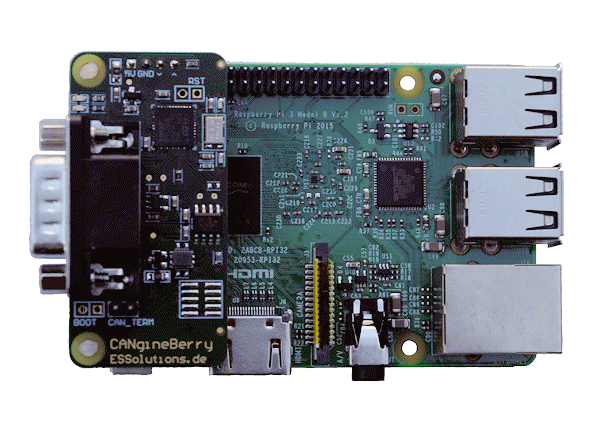
The CANgineBerry fits directly onto the Raspberry Pi 40-pin GPIO header, used on the Raspberry Pi 2 and all later models, including the Pi 4 and Pi 5. Delivery includes a set of screws for proper fixation.
Linux command line utilities can be executed to program and configure the CANgineBerry. Program examples for Linux are available for download from this page.
On the Raspberry Pi 3 and later the onboard Bluetooth occupies the full hardware UART by default. For reliable serial communication, disable Bluetooth (dtoverlay=disable-bt) and address the module through /dev/serial0, which always points to the primary UART on the header.
CANgineBerry with UART-USB Converters
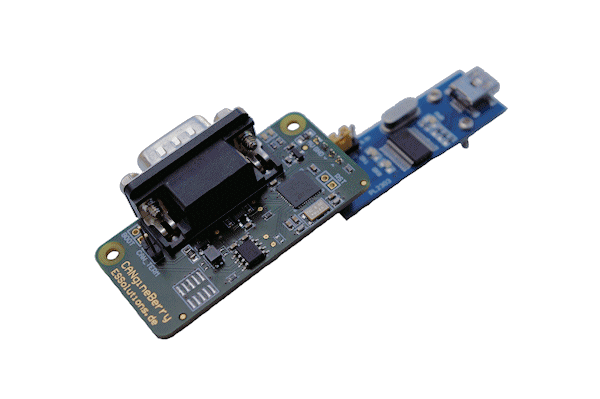
Using a generic UART-USB module (watch out for correct voltage levels), the CANgineBerry can be connected to any Windows PC.
Windows command line utilities can be executed to program and configure the CANgineBerry. Program examples for Windows are available for download from this page.